
How to Remove an Exhibit
Open the project to see the list of documents. Select the exhibit you wish to remove by clicking once on the document row. The selected row will turn light gray.
Click More Options, then Remove From Project.
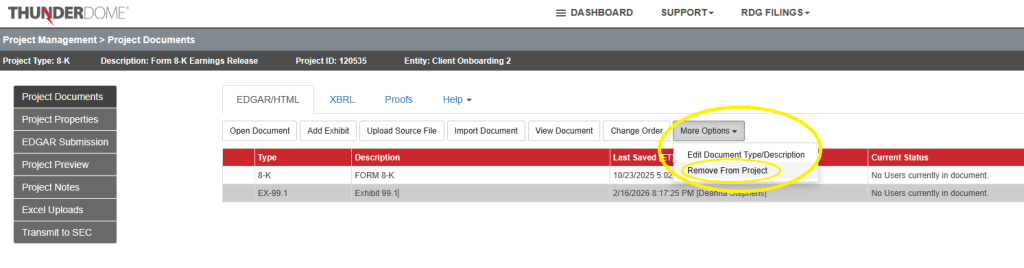
You will see a confirmation message that the exhibit was removed and it will no longer appear in the project documents.
Update the Exhibit Index
Make sure the exhibit index is current. If the exhibit is included in the main document‘s exhibit index, you might need to update the language and change the type of hyperlink from filed herewith to incorporated by reference, or simply remove the entry altogether if it should not be listed the index.
Was this helpful?
Thanks for your feedback!