
After delegation has been set up in in EDGAR Next, the ThunderDome Company Administrator will need to apply the delegation settings in ThunderDome and add the filer API Token. Note that the EDGAR Technical Administrator is the individual who can generate the filer API Token in EDGAR Filer Management and should also be a ThunderDome Company Administrator.
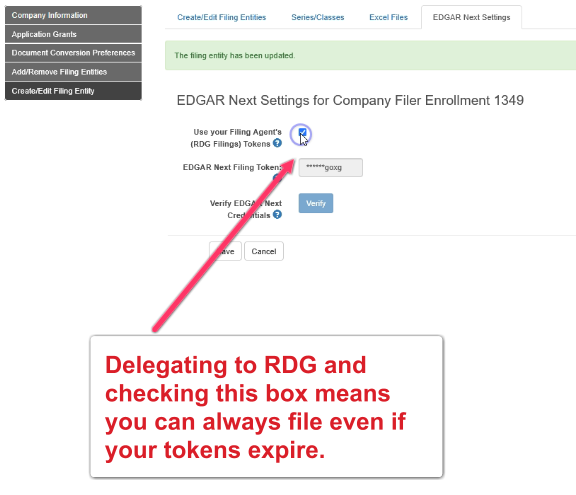
RDG strongly recommends that you delegate to RDG in EDGAR Next and check the box to use RDG’s filing tokens when filing. This ensures that even if your personal API token or filer API token expires, you will always be able to file.
Video Walkthrough: Update the Company Profile in ThunderDome
(Filer API Token)
Video Walkthrough: Update the User Profile in ThunderDome
(User API Token)
Delegation and Tokens in ThunderDome
1. In ThunderDome, go to Company Profile.
2. Go to Create/Edit Filing Entity.
3. Select the Filing Entity to manage.
4. Go to the EDGAR Next Settings tab.
5. Add the filer‘s API Token in EDGAR Next Filing Token.
6. Check the box to use RDG Filings‘ Tokens when filing.
7. Click Save.
>> Additional Reading: RDG16 Settings